
Most business owners have a mental model of cyber risk that starts with malware. A bad file gets opened, a laptop gets infected, antivirus catches it… or it doesn’t. That model still matters, but it’s no longer the whole story.
More attacks now look like normal work activity because the attacker is not “breaking in” with a noisy virus… they are logging in with a real username and password, and sometimes with a live session that never asks for MFA again. CrowdStrike reported that 82% of detections in 2025 were malware-free, and that valid account abuse was tied to 35% of cloud incidents. That’s a simple shift with a big implication for SMBs: if you only think in terms of antivirus, you’re protecting yesterday’s front door.
What “stolen logins” really means in a modern SMB
When people say “stolen logins,” they usually picture a password leak. That’s part of it, but the bigger issue is broader: attackers are increasingly using valid access… credentials, tokens, and trusted sign-ins… to move through cloud tools as if they belong there.
In practical terms, stolen login risk shows up as: an ex-employee account still active, a shared admin login everyone knows, a contractor who kept access, or a browser session on a laptop that stays signed in for weeks. None of these require malware to cause damage. They require something simpler: access that looks legitimate.
This is why “we have MFA turned on” can feel reassuring while still leaving gaps. MFA helps, but it’s not a forcefield. If an attacker steals a live browser session token, or tricks someone into approving a sign-in, they can bypass the moment where MFA would have helped. Bitdefender has specifically called out ransomware groups prioritizing credential theft and browser session tokens to bypass MFA and reduce detection noise.
The shift is also about where work happens now. SMBs run on Microsoft 365 or Google Workspace, accounting platforms, CRMs, file sharing, e-signature tools, payroll, and industry apps. If someone gets into those with a valid login, they can do real business actions… change payment details, create inbox rules, access customer data… without ever dropping a “virus” on a machine.
Stolen-logins risk is usually not one single failure. It’s several small, understandable shortcuts that add up over time. The good news is you can reduce the exposure without turning your business into a bureaucracy.
Stale accounts are the classic example. Someone leaves, a role changes, a temp finishes a project… but the account stays. Sometimes it stays because nobody is sure what it’s connected to. Sometimes it stays because “we might need it later.” Either way, those accounts become quiet entry points, especially if they still have mailbox access, file access, or app integrations.
Shared admin logins are another big one. A single admin account used by multiple people feels convenient, but it removes accountability and makes cleanup hard. When you can’t tie actions to a person, you can’t confidently answer basic questions like: Who changed that setting? Who installed that app? Who approved that login?
Unmanaged SaaS access is the third pattern. Teams often sign up for tools with a card and a work email. Over time, you end up with dozens of apps connected to your identities. Even if your “main” environment is locked down, a weaker SaaS app can become a stepping stone. And when someone leaves, they may lose the laptop… but keep access to the SaaS account tied to their personal device or saved browser session.
A practical owner-level way to think about this: every login is a business permission. If permissions don’t have an owner, a review cycle, and an offboarding step, they tend to drift.
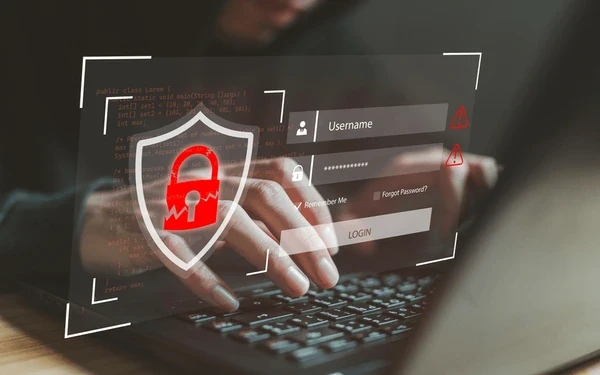
MFA is a strong baseline, but the details matter. Some MFA types are easier to trick than others. SMS-based codes can be intercepted, and push notifications can be spammed or socially engineered. Even when the MFA method is solid, session behavior can undo the benefit.
Here’s the part many SMBs miss: after a successful login, cloud apps often issue session tokens so the user doesn’t have to re-authenticate constantly. If an attacker steals that session token from a compromised browser or device, they may not need to pass MFA at all. Bitdefender describes attackers collecting browser session tokens specifically to bypass MFA and stay quieter.
OAuth and “Sign in with Microsoft/Google” approvals can also become a blind spot. If a user authorizes an app, that app may get ongoing access without repeated MFA prompts, depending on what was approved. This is convenient for business tools… and also attractive to attackers because it looks like normal integration traffic.
Finally, admin roles amplify everything. If too many accounts have admin rights, or if admin accounts are used for daily email and browsing, a single stolen login becomes far more expensive to clean up. You don’t need to eliminate admin access… you need to make it intentional, limited, and easy to review.
Most SMB incidents tied to stolen logins don’t start with a dramatic “system down” moment. They start with small signals that are easy to miss.
A common failure point looks like this: an employee leaves, their account is disabled, but a shared admin login remains active because “the IT vendor uses it,” or because multiple managers still rely on it. Meanwhile, several SaaS tools are connected to the shared admin email, and nobody has a clean list of which ones.
Later, an attacker gets credentials or a session in a way that doesn’t trigger obvious alarms. They log in, poke around cloud settings, and blend into normal behavior… because they are using valid access. CrowdStrike’s reporting on malware-free activity and valid account abuse reflects this broader industry pattern: a lot of modern intrusion activity is designed to look ordinary.
The business impact is usually operational, not theoretical. Owners end up dealing with questions like: Why are customers receiving odd emails? Why did a vendor payment change? Why is someone locked out? Why are there new inbox rules forwarding messages outside the company? These are identity problems first. If you treat them like an antivirus problem, you chase symptoms instead of fixing the cause.
The uncomfortable truth is that cloud tools work exactly as designed in these situations. If a login is valid, the system assumes the user is trusted. That’s why the owner move is shifting from “Do we have protection?” to “Do we control access cleanly… and can we see when access looks wrong?”

When you reduce stolen-login exposure, you don’t just “improve security.” You make the business easier to run.
You get cleaner offboarding and fewer recurring surprises. You reduce dependency on shared passwords that only one person understands. You can answer basic questions quickly: who has admin access, who can approve payments, who can see client data, what apps are connected, and what happens when someone leaves.
This is also one of the highest ROI areas because the steps are mostly managerial and configuration-based. You’re not buying a stack of new tools. You’re tightening the basics you already rely on.
Here are the practical steps that matter most for SMB owners, stated plainly: review who has admin rights and reduce it to the minimum needed; remove old accounts and make offboarding a repeatable checklist; inventory your SaaS apps and confirm who has access to each one; use phishing-resistant MFA where possible (for example, passkeys or security keys) for admin and finance-impact accounts; and monitor for unusual logins like impossible travel, new devices, and odd sign-in times. These actions directly address how account-based incidents actually happen.