


A successful backup notification tells you that data was copied. It does not prove that your business can restore that data quickly when systems are down.
The real test is whether you can recover the files, applications, accounts, and systems your employees need to work.
NIST’s 2026 backup guidance emphasizes creating backups regularly, testing them, and reviewing them during recovery exercises. CISA also recommends regularly testing both the availability and integrity of backups as part of disaster recovery planning.
The goal is not simply to have backups. It is to know what happens when you actually need them.
Does a successful backup mean your business can recover?
Not necessarily.
A backup can complete successfully while still leaving problems that only become visible during recovery.
You may discover that:
Important folders were never included
The backup contains older versions of files
A business application cannot be restored properly
Login credentials or encryption keys are missing
The restored data will not work with the current software
Recovery takes much longer than expected
This is why NIST describes testing as part of effective backup management rather than treating the creation of a backup as the end of the process.
A test restore answers the question a backup notification cannot:
Can we actually get the business working again?
A restore test should go beyond opening one recovered document.
Choose a real business process and test whether the systems and information needed for that process can be recovered.
For example, if your accounting system became unavailable tomorrow, could you restore the application, access the latest financial information, log employees back in, and continue processing invoices?
CISA recommends regularly testing backup procedures and checking the availability and integrity of backups in a disaster recovery scenario. It also recommends maintaining recoverable copies of critical systems and the software needed to rebuild them.
The test should show what works, what is missing, and what would slow recovery down.
This is one of the most important questions a restore test can answer.
A backup may work perfectly but still take a day or two to restore. For a business that depends on email, customer records, scheduling, payments, or a specific application, that delay can become the bigger problem.
Decide how long each important system can reasonably be unavailable.
For example:
Email may need to return quickly
Customer records may need to be available within a few hours
Archived documents may be able to wait
Less important internal systems may be restored later
Testing gives the business a realistic recovery time instead of an assumption.
Not every system needs to return at the same time.
Before an incident happens, identify which services the business needs first.
A simple recovery order might be:
Identity and employee access
Communication systems
Customer and operational data
Financial or payment systems
Important business applications
Lower-priority files and archives
The order will be different for every business.
The important part is deciding before systems are unavailable. During an attack, leadership and IT should not be debating for the first time whether email, accounting, customer files, or another platform should be restored first.
Data is only one part of the business.
You may successfully restore customer files but still be unable to work because the application used to open them is unavailable. You may restore a server but discover that nobody has the credentials needed to configure it.
A recovery test should therefore check:
Files and databases
Business applications
Administrator accounts
Authentication and access
Software licenses
Configuration information
Connected systems
Internet and network requirements
Vendor dependencies
Contact information for employees and providers
Communication should also be part of the plan.
Who tells employees that systems are unavailable? Who contacts customers if there will be a delay? Who communicates with vendors? Who has the authority to approve a full restore?
NIST has long recommended that backup planning include conducting, maintaining, and testing backup files so organizations can reduce the impact of ransomware, hardware failure, and other data loss events.
A backup protects information. Recovery planning protects the ability to use it.
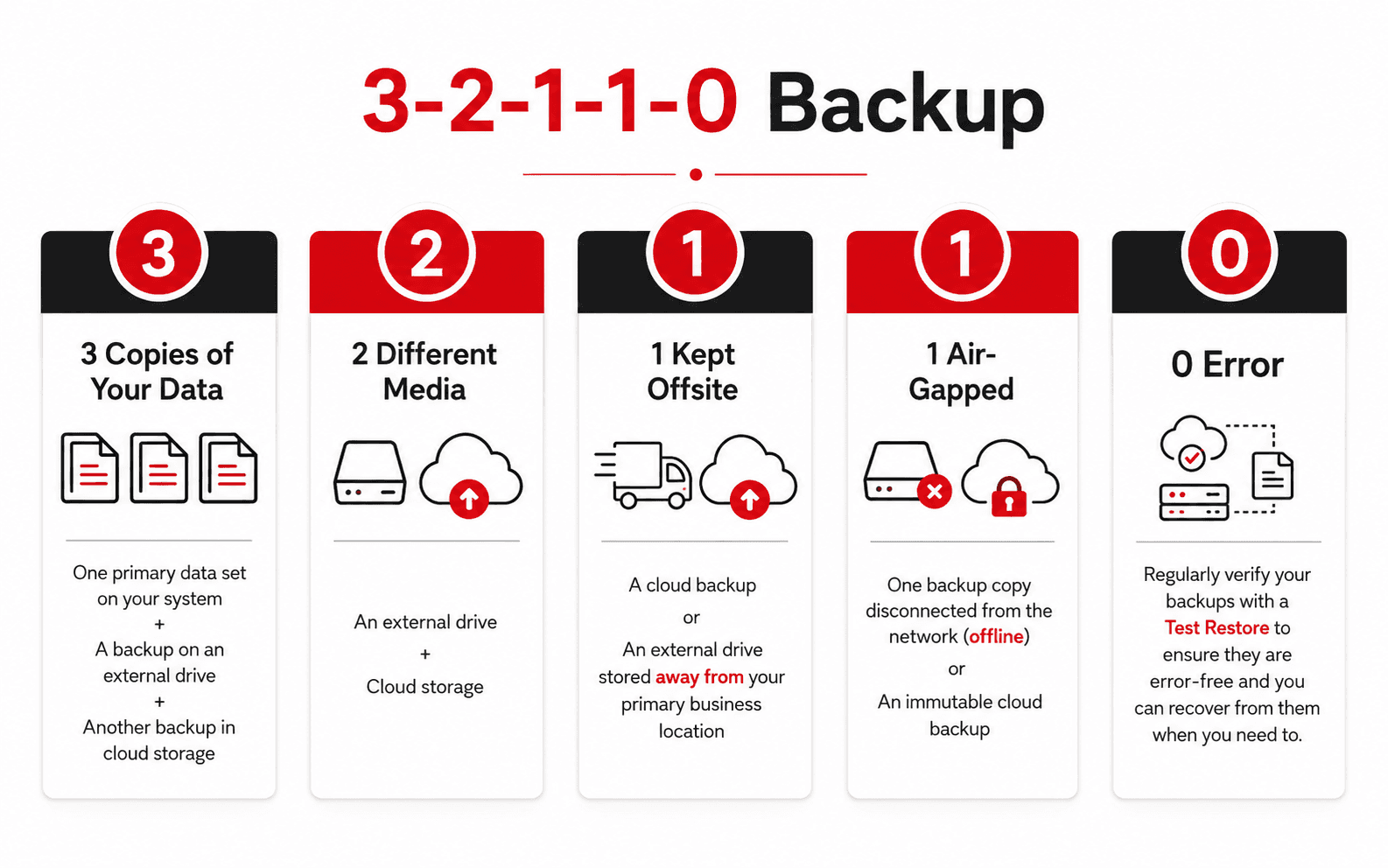
There is no single schedule that works for every business, but restore testing should be regular rather than something done once when the backup system is installed.
Testing is especially important after:
Changing backup providers
Adding a critical application
Moving systems to the cloud
Replacing servers or network equipment
Changing important business processes
Discovering a failed or incomplete backup
Making major configuration changes
NIST’s June 2026 guidance recommends integrating backups into change management, creating them regularly, testing them, and reviewing them during recovery exercises.
For critical systems, include restoration in scheduled recovery exercises so leadership and IT can see how the process works under realistic conditions.
Do not only ask your IT provider:
“Are our backups running?”
Also ask:
“When did we last restore one successfully, and how long did it take?”