

If a work laptop is lost or stolen, the biggest concern is not the cost of replacing the device. It is whether someone can use it to reach company email, customer files, cloud applications, saved passwords, or other business systems.
The response should start immediately. Report the device, revoke access where needed, locate or remotely wipe it if your management tools allow it, review the employee’s account activity, and document what company information may have been stored on the laptop.
CISA recommends that missing devices be reported immediately so organizations can take steps such as remotely deleting company data. NIST also recommends encryption and remote-wipe capabilities to reduce the risk of data exposure from lost or stolen devices. (CISA)
What should happen as soon as a work laptop goes missing?
Do not wait a day to see if the laptop turns up.
The employee should tell their manager or IT provider as soon as they realize the device is missing. IT can then determine what the laptop had access to and what should be protected first.
Start with these questions:
Was the laptop locked when it disappeared?
Was full-disk encryption enabled?
What company accounts were signed in?
Were passwords saved in the browser?
Were customer or financial files stored locally?
Did the laptop have VPN or remote-access software?
Can the device be located or remotely managed?
If the device is enrolled in a management platform such as Microsoft Intune, administrators may be able to remotely lock, retire, locate, or wipe supported devices. Microsoft specifically identifies lost or stolen devices as a common reason to use remote wipe. (Microsoft Learn)
It helps, but it may not be enough.
A lost laptop may still contain active sessions for Microsoft 365, cloud storage, accounting software, customer systems, or other applications. If those sessions remain valid, someone with access to the laptop may not immediately be asked for the new password.
For Microsoft environments, administrators can revoke the employee’s sessions and require applications to authenticate again. Microsoft specifically notes that session revocation is commonly used when a device is lost or stolen. (Microsoft Learn)
IT should also review recent sign-ins to determine whether anyone used the account after the laptop disappeared.
Remote wipe should be considered when the device is unlikely to be recovered or when the risk to company information is greater than the need to preserve the laptop’s contents.
For a company-owned device managed through Microsoft Intune, a wipe can return supported devices to factory settings and remove organizational and personal data. Microsoft describes secure erasure of lost or stolen devices as one of the common uses for the feature. (Microsoft Learn)
The important limitation is that remote actions generally require the device to connect to the internet before they can take effect. Microsoft warns that an offline device may still contain locally stored information until it reconnects. (Microsoft Learn)
That is why remote wipe should not be the only protection.

Encryption makes the information stored on the laptop much harder to read without the correct credentials.
CISA recommends encrypting computers and other devices because unencrypted data may be readable if someone gains physical access to the equipment. (CISA)
NIST similarly identifies device encryption as a protection against unauthorized access to information stored on lost or stolen devices. (NCCoE)
For business laptops, IT should confirm that full-disk encryption is actually enabled and that recovery keys are stored somewhere the business can access.
Encryption does not prevent every type of compromise, but it can significantly reduce the risk that a stolen laptop becomes a stolen-data incident.
Think beyond the laptop itself.
Review anything the employee could reach from that device, including:
Microsoft 365 and company email
Cloud storage and shared files
CRM and customer systems
Accounting and payment platforms
VPN and remote-access tools
Password managers
Saved browser sessions
Vendor portals
Administrator accounts
Revoke sessions where appropriate and reset credentials if there is a reasonable chance they were exposed.
IT should also check recent sign-in activity for unfamiliar locations, devices, or applications. Microsoft recommends disabling compromised devices, revoking access, and reviewing account activity when there is a risk that an identity or device has been compromised. (Microsoft Learn)
The goal is to prevent the missing laptop from becoming a doorway into systems that are still online.
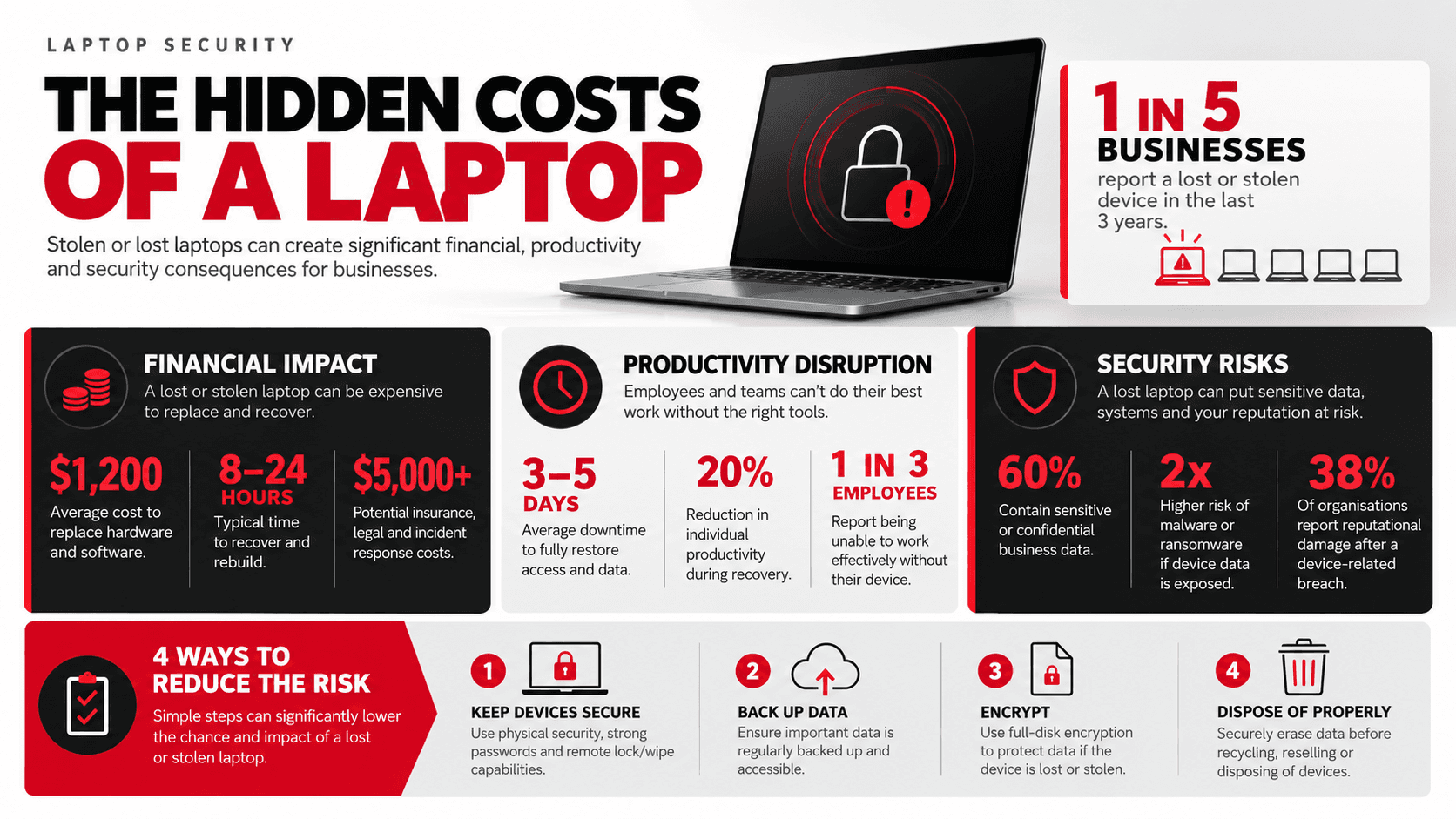
A lost-device response is much easier when the security controls were already in place.
Every company laptop should ideally have:
Full-disk encryption
A strong sign-in requirement
Multifactor authentication for important business accounts
Centralized device management
Remote lock or wipe capability where supported
Current security updates
Company data backed up somewhere other than the laptop
A clear process for reporting lost equipment
NIST recommends centralized device management, encryption, and remote-wipe capabilities as part of managing the security of mobile devices throughout their lifecycle. (NIST Computer Security Resource Center)
Businesses should also maintain an inventory showing who has each laptop, its serial number, whether it is encrypted, and whether it is enrolled in the company’s management system.
If you cannot answer those questions after a device disappears, the response becomes slower and much less certain.